Add or delete plan lines
Plans always change. You might be missing plan lines or have a few that you no longer need. The good news is that you don't have to start all over again. Simply add or delete plan lines to income statement accounts or statistical accounts on the go.
Add plan line

-
Open a plan, and navigate to the income statement accounts or statistical accounts tab.
-
Make sure Group by is set to None, otherwise you can't add a plan line.
-
Select Actions > Add a plan line.
-
From Accounts, select an account. The dimension columns that are relevant to the selected account appear, according to the structure you defined when you created the plan.
-
Select the dimension types you want to associate with the account, or select N/V - No value if a dimension is not relevant to the new plan line.

You can activate account or dimension filters to narrow down the selection in the dropdown lists. To clear filters, select Reset.
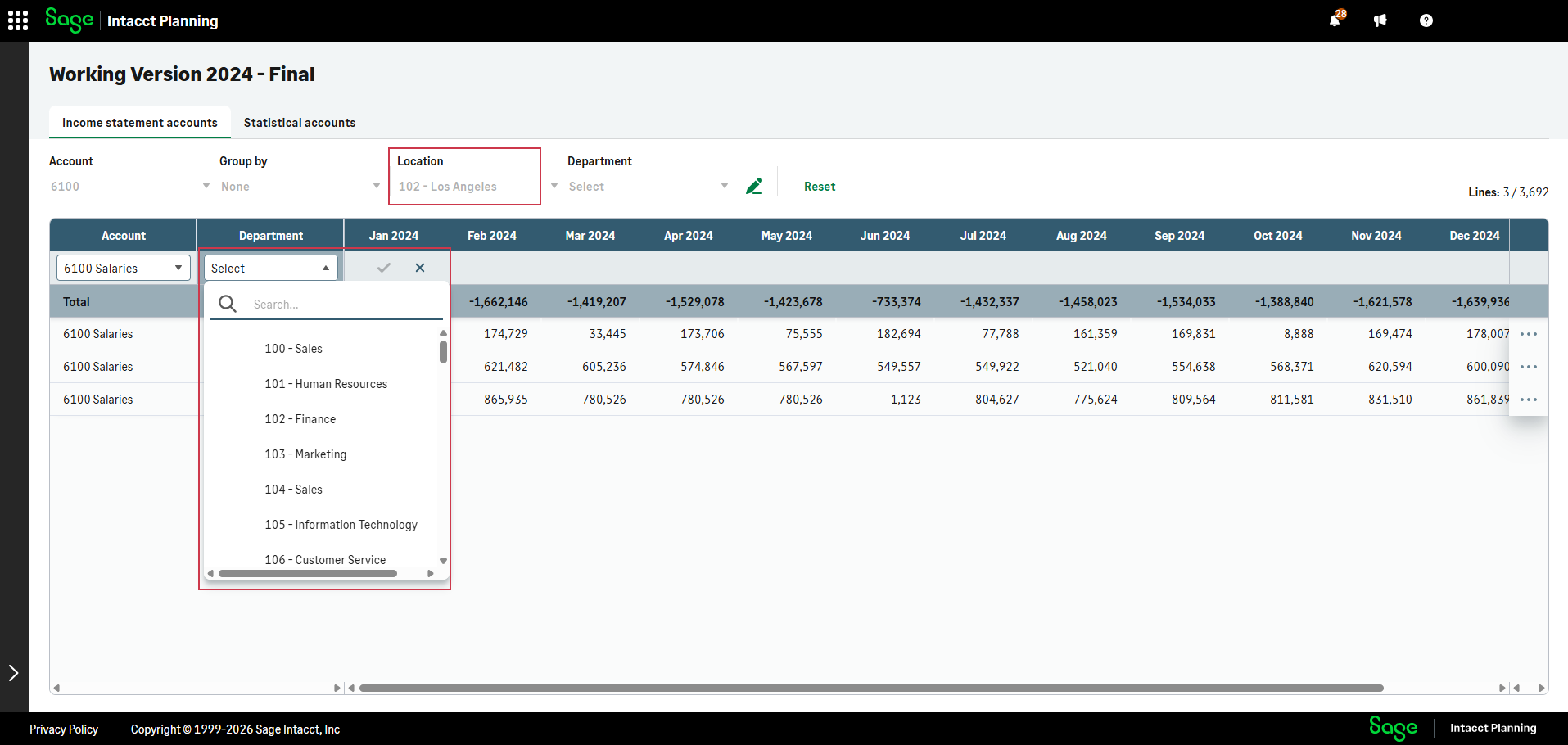
 Example of adding a plan line with active filters
Susan wants to add a plan line to a department in Los Angeles. From the Location dimension, she selects 102 - Los Angeles. Now when she adds a new plan line, she only needs to select the department, since location is already defined.
-
Select
 to confirm or
  to cancel.
After you add a new plan line, you navigate straight to it.
If your plan has actuals, they are populated automatically.
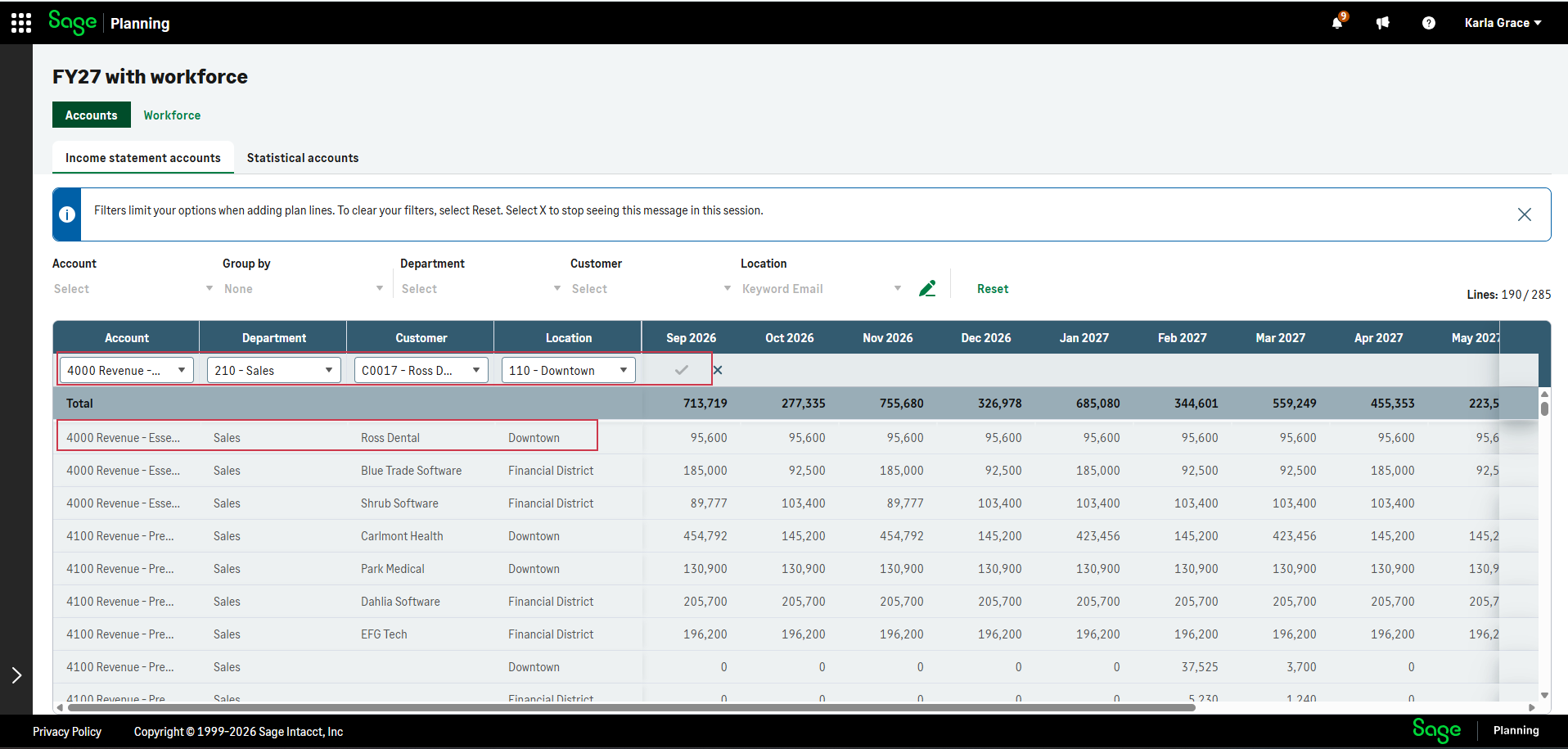
You can only confirm a new plan line that has a unique combination of account and dimension values.
Example of a new plan line that can't be addedIn the example below, a plan line already exists with the same account and dimensions combination as the selection, so you can't confirm the add plan line action.
Delete plan line
You can't delete plan lines that are referenced by a formula.
-
From a plan, open the income statement accounts or statistical accounts tab.
-
Navigate to a plan line that you want to delete.
-
From the right column, select
 and then Delete plan line > Delete.
Is this helpful?
In this topic