Save to budgets repository
Owners only
Save your plan to the budgets repository to use the plan in Sage Intacct. This enables you to create reports based on your plan or compare it with actual performance.
Start
-
Open a plan.
-
From Actions, select Save to budgets repository.
-
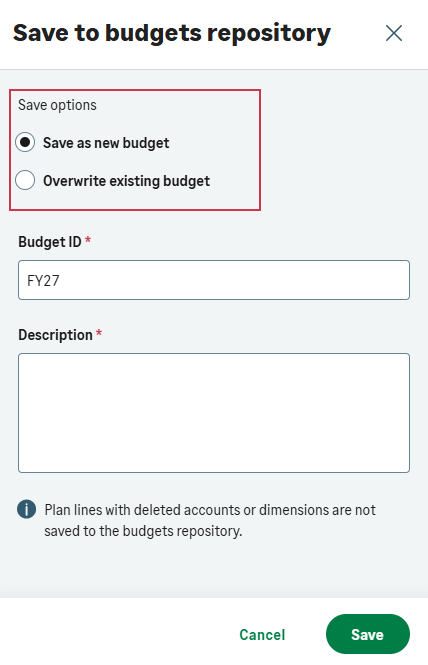
If you already saved the plan to the budgets repository, the option to select whether to save your plan as a new budget or overwrite an existing one appears.
-
Enter a Budget ID and Description, and select Save.
It may take a few minutes for your plan to appear in the budgets repository. A success or failure message appears in Notifications when the process completes.
-
To view the plan in the budget repository, do the following:
-
From the app switcher
 select Intacct.
 -
In Intacct, go to Budgets > Budgets repository
-
Is this helpful?
In this topic