Lock and unlock plans
Only owners can unlock plans.
As the owner of a plan, you may want to lock the approved version when it's final, to prevent other users from making changes. In Sage Intacct Planning, locking a plan is simple. Those with access to the locked plan can view it but can't edit the data, regardless of their permissions.
John creates a plan for the upcoming year. He creates versions of the plan, shares them with relevant stakeholders, and merges their changes. Now that he has a final version of the plan, he locks it so he can share this version, knowing that it is protected from any further changes.
Lock a version
When you lock a plan , you can feel safe knowing the plan is secure and nobody can change it. The locked plan is read-only and protected from the following actions:
-
Edit plan data
-
Adjust cells
-
Enter or edit a formula
-
Merge changes
If your see Intacct Financials actuals in your locked plan, you can refresh them. For more information, see Refresh actuals.
Start
-
Open a plan.
-
Select Actions and then Manage versions.
-
Navigate to the plan you want to lock.
-
Select
 and then Lock plan.
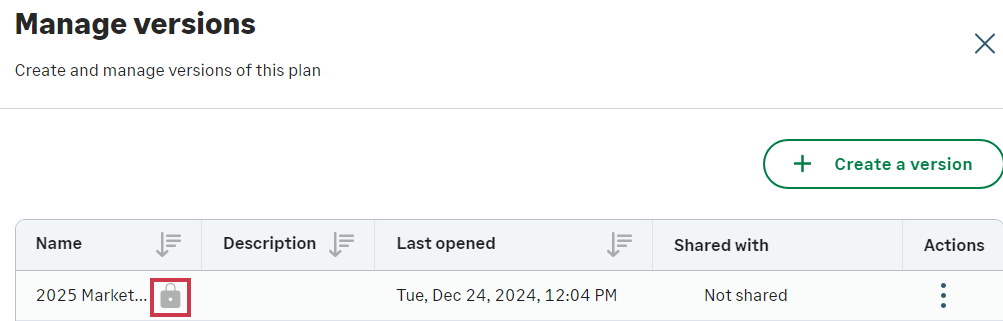
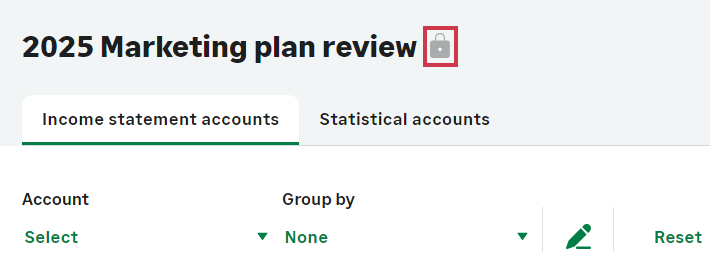
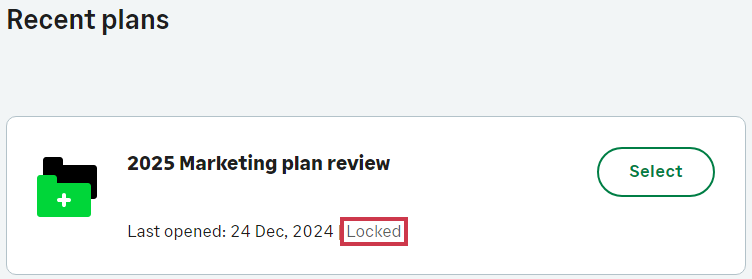
A visual indicator appears next to the locked version name.
Share your locked plan
When you share your locked plan with others, they can do the following:
-
Review the data as read-only
-
Use filters
-
Export the version
For more information, see Share and unshare plans.
Unlock a plan
When a plan is unlocked, anyone can make changes to it, based on their permissions. For more information, see Manage user permissions.
Start
-
Open a plan.
-
Select Actions and then Manage versions.
-
Navigate to the plan you want to unlock.
-
From the Actions column, select
and then Unlock plan.
Is this helpful?
In this topic